
Your budget,
protected by rules.
Your Meta and Google Ads campaigns are monitored every hour. Weak ones are paused, winners are scaled step by step. Budget increases always need your approval.
- 0%
- Maximum budget change at a time
- 0 h
- Wait between two changes
- 0
- Conversions needed for a creative decision
- 0 h
- Window to undo any change
An ad specialist's daily work.
The rules an experienced specialist follows are applied every day, every hour, without ever getting tired.
Monitors every hour
Spend, clicks and cost per conversion are tracked continuously; problems are spotted before they grow.
Pauses weak creatives
Once there is enough data to decide, the ad that eats budget but doesn't sell is paused.
Scales the winner step by step
A well-performing ad's budget grows in 20% steps, so the algorithm's learning isn't disrupted.
Spots fatigue
When an ad shown too often to the same people wears out, only the opening hook is refreshed; the rest is kept.
Reads tests correctly
Which of two creatives won is decided by statistics, not by chance.
Nothing goes live unapproved
New campaigns are prepared in a paused state; they go live with your approval.
Cost goes down, budget grows.
A sample month: the weak creative is paused early, and the budget is raised gradually as cost per conversion falls.
- Every change is logged with its reason and can be undone in one tap within 24 hours.
- To tie sales to ads, conversion signals are also sent from the server, so browser blockers don't distort measurement.
- Shared links carry tracking tags, so you can see which content brings sales.
- A rule set for your industry: risks like claims in health or promises in finance are caught before they reach an ad.
See it before you spend.
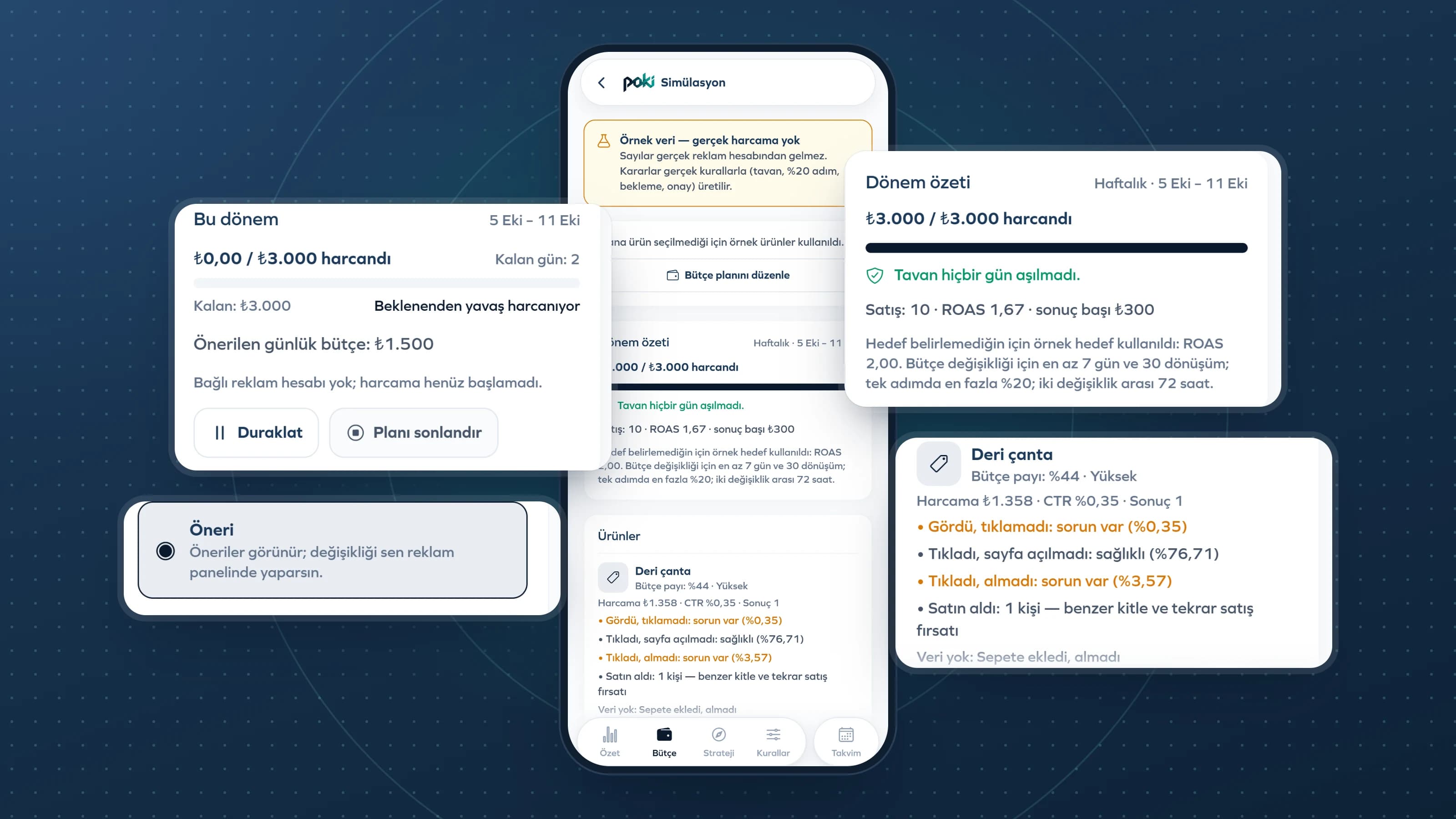
Set your monthly cap and prioritize your products. Poki spreads the budget across the days of the month and your products; in simulation you watch the outcome without spending real money.
- Linen shirt · High priority$4,185
- Straw bag · Normal$2,976
- Sunglasses · Normal$2,139
- The monthly cap is never exceeded; spend is spread evenly across the days of the month.
- A high-priority product gets a bigger share of the budget.
- A product that is out of stock isn't advertised.
- In simulation mode, try everything without touching the real account.
Ad autopilot in four steps.
Ad analysis and budget management are available on the Pro and Enterprise plans.
- 01
Choose your business model
Online store, appointment-based service or local business; the ad strategy is built around it.
- 02
Mark your products
Products you mark "Sell in ads" get a share of the budget by the priority you set.
- 03
Set up your budget plan
Set the monthly cap; use simulation to see in advance how the month will be distributed.
- 04
Connect your account
Connect your Meta or Google Ads account and turn on autopilot. The emergency stop is always at hand.